Body
1. What is it? – These are a basic text and spreadsheet creator and editor that is built into the Zoom app. These documents can be built as a standalone or be used in Zoom calls.
a. Note – You can only have 1 document going at a time.
2. How to use it. – From the Zoom app, click on the “Docs” button.

3. You will be taken to the “Home” section of your Zoom Documents.
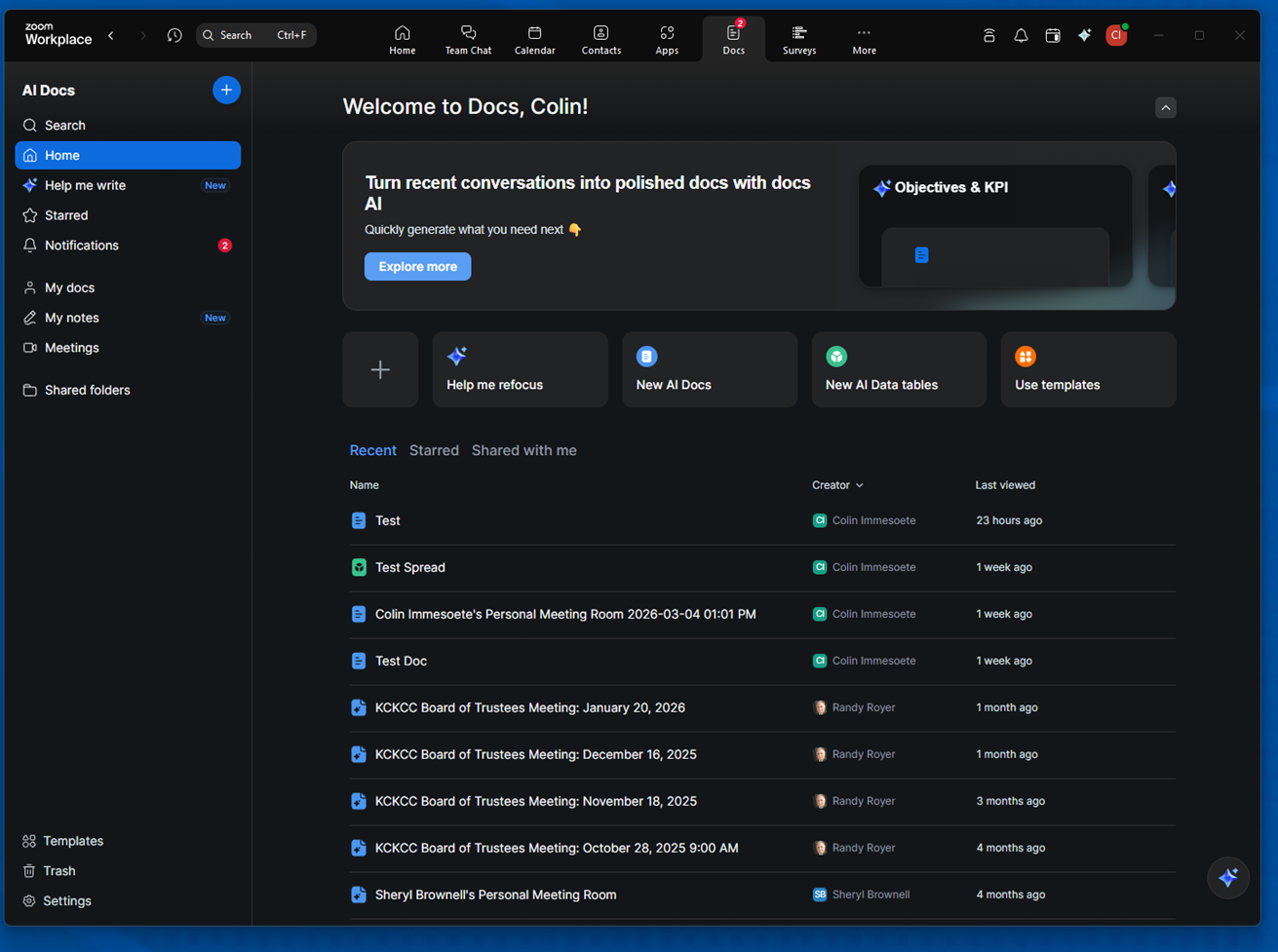
4. To create a document or a data table, click on one of the two options.

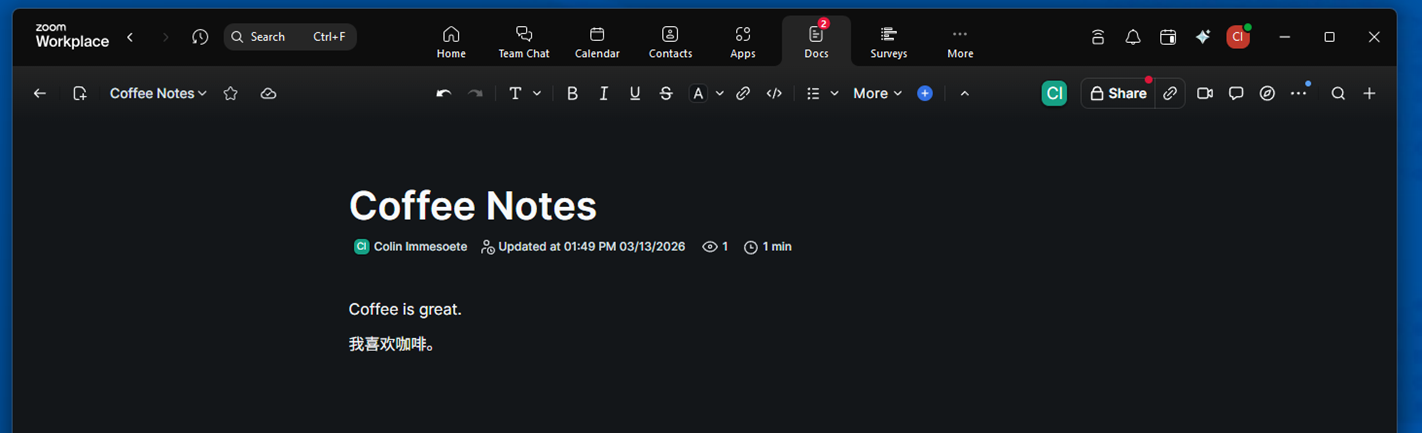
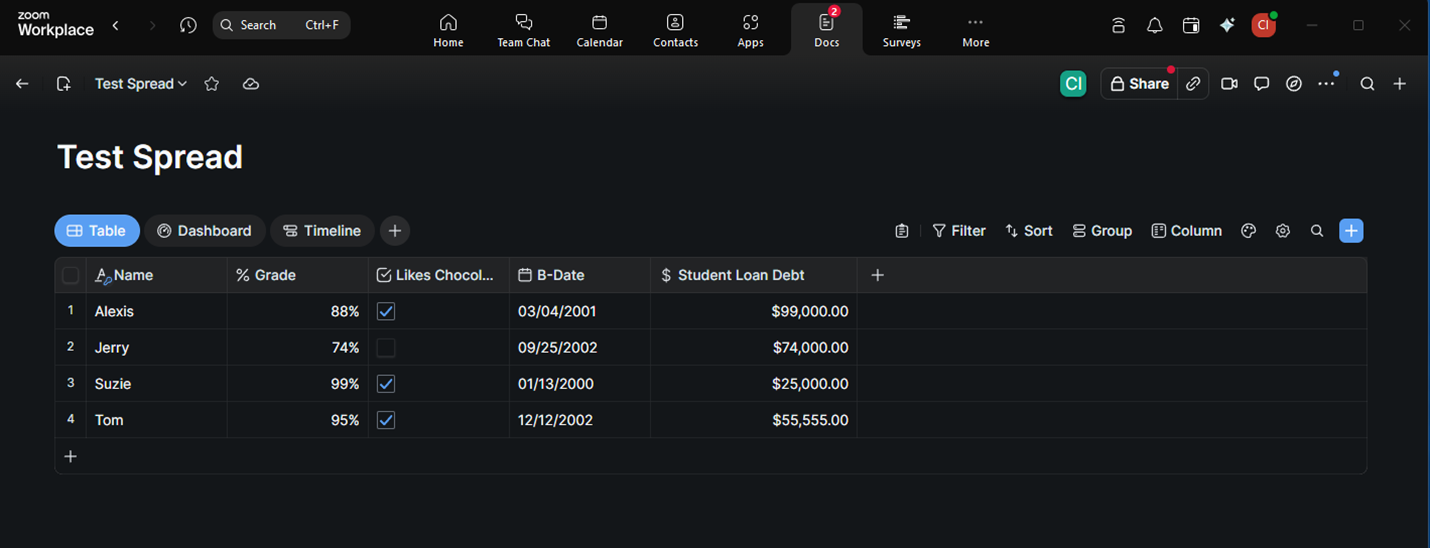
5. The specific editor will open, and you are free to start editing.
a. Docs
b. Data Tables
6. Why is this important/how can this be used? – For basic things, these documents work well for collaboration amongst a team. These documents are also easy to share within a call, versus any other document type that is on the market today.